Silos
Menu

Product

Product overviewThe panelNeeds youAgentsTasksAutomationsSilosEnginesOpen source

Solutions

Solutions overviewCoding agentsA small businessSupportFinance

Resources

Compared with terminal tabs

Company

About

Docs

All the docsInstall

Product › Automations

Work that keeps going, within limits you set.

One setting per agent decides what happens without you: Only when told, On its own or Proactive. Automations run on a date, a schedule, a webhook or a file change, as an agent's turn or as a plain command, and every agent stops at its daily limits.

Three positions decide what an agent does without you

Only when told: it opens with you and nothing starts without you. On its own: it starts what you give it, then its next step, and looks at what arrived on its heartbeat. Proactive: it also goes looking on each round and creates tasks from its mission, up to a count a day.

The heartbeat is every Monday morning by default, or any period down to 5 minutes, or Never. A beat skips when nothing happened since the last look, so it costs nothing until a turn is worth it.

  • Support
    Morning inbox sweep
  • Finance
    Nightly bank sync · no tokens
  • Writer
    Weekly sales digest
  • Builder
    Dependency check
A day of heartbeats and automations per agent.

An agent's turn, or a command that spends no tokens

An automation sends your text to the agent at the start of every run, in a new conversation each run or in one kept across runs. Each run ends with a status, and an agent turn adds a one-line outcome: acted, or no news.

A command runs exactly as written, without a shell and without Claude: no tokens and no usage limits. If it fails, Tell me puts it in Needs you with its last line, or Hand it to <agent> spends one turn on the log.

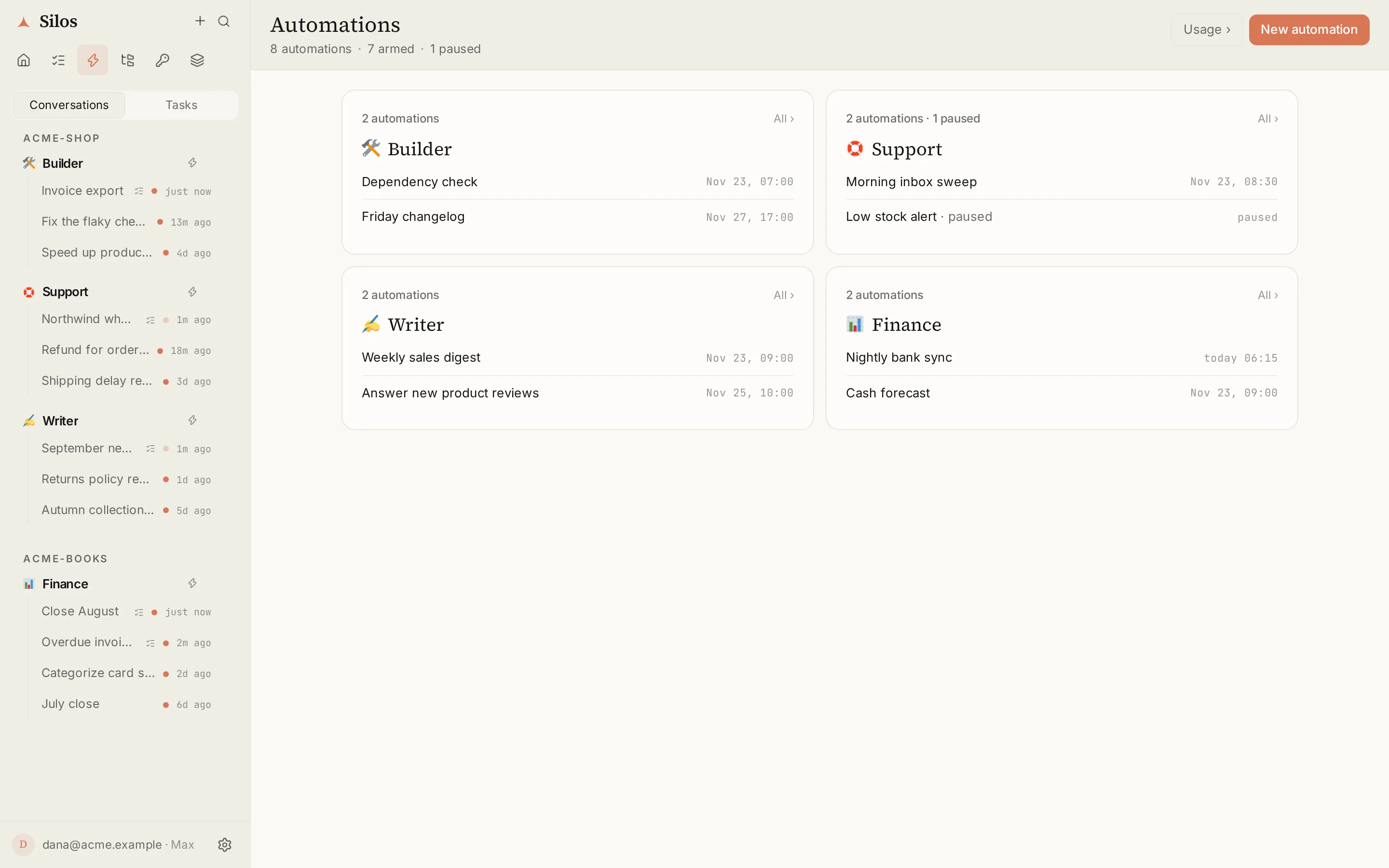
The Automations page: two automations for each of four agents, with their next run times; one is paused.
The Automations page: two automations per agent, with their next runs. Demo data.

Daily limits, and Undo for what it decided alone

Each agent has a daily max of starts without you, 10 by default, and a spend cap, $5 a day by default, where its provider prices turns. Reaching either puts a row in Needs you with Let it continue today, Raise › and See today ›.

Everything an agent decided on its own shows on its page and on Home, each with Undo. An agent cannot quietly schedule itself: an automation it proposes waits for you to accept it.

  • Started on its own today4 of 10
  • Spent today$2.10 of $5.00

At the limit it stops and asks you.

Started N times today, and the spend cap.

Automations compared with cron and scripts

Cron and scriptsSilos
A nightly scriptFine as it isA command, with its history
A failed runA log nobody readsA row in Needs you
A run past a usage limitFailsWaits and retries at reset
A runaway loopRuns until you noticeAt most N runs a day
Judgment on the resultYou read the outputHand it to an agent

Questions

Can an agent run up my bill overnight?

Each agent has a daily max of starts and a spend cap, and every automation has «At most N runs a day». Silos also runs at most 2 unattended turns per agent and 3 across the install at once. The spend cap applies only where the provider prices turns, such as an API key.

What happens when I hit a subscription limit?

By default a run waits and retries when the window resets. If you set a fallback provider, the next turn switches to it until the window resets. An account whose limit stopped automations gets one Needs you row.

Can a run wait for my OK?

Yes. «Ask me before each run» makes each run wait on Home until you approve or skip it.

Why does On its own need a territory?

Silos refuses the switch without a mission and the territory on. If the territory is turned off later, the agent acts as Only when told and Needs you says so.

Is there a screen for webhook automations?

Not yet. A webhook automation is created through the API with your token; Silos returns its secret once. File and conversation triggers come from the templates.

Does a command automation respect the territory?

No. The fence lives inside the engine, and Silos executes a command directly, which is why only you can create or edit one.

Set the first automation

Start from a template, such as «Run a script every night», and read its history on its own page.